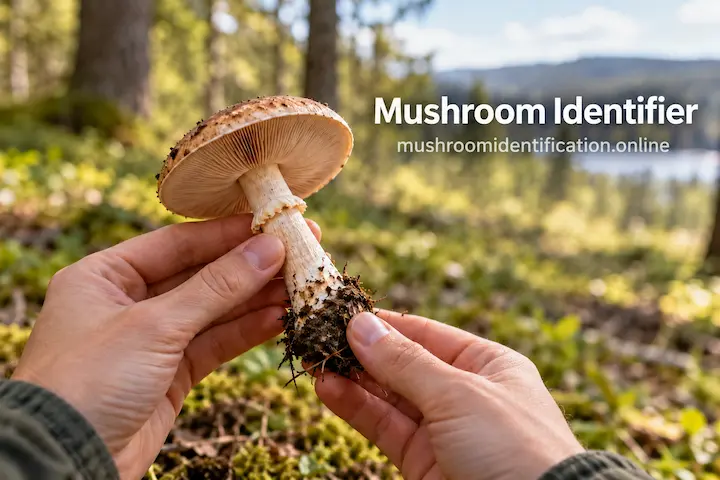

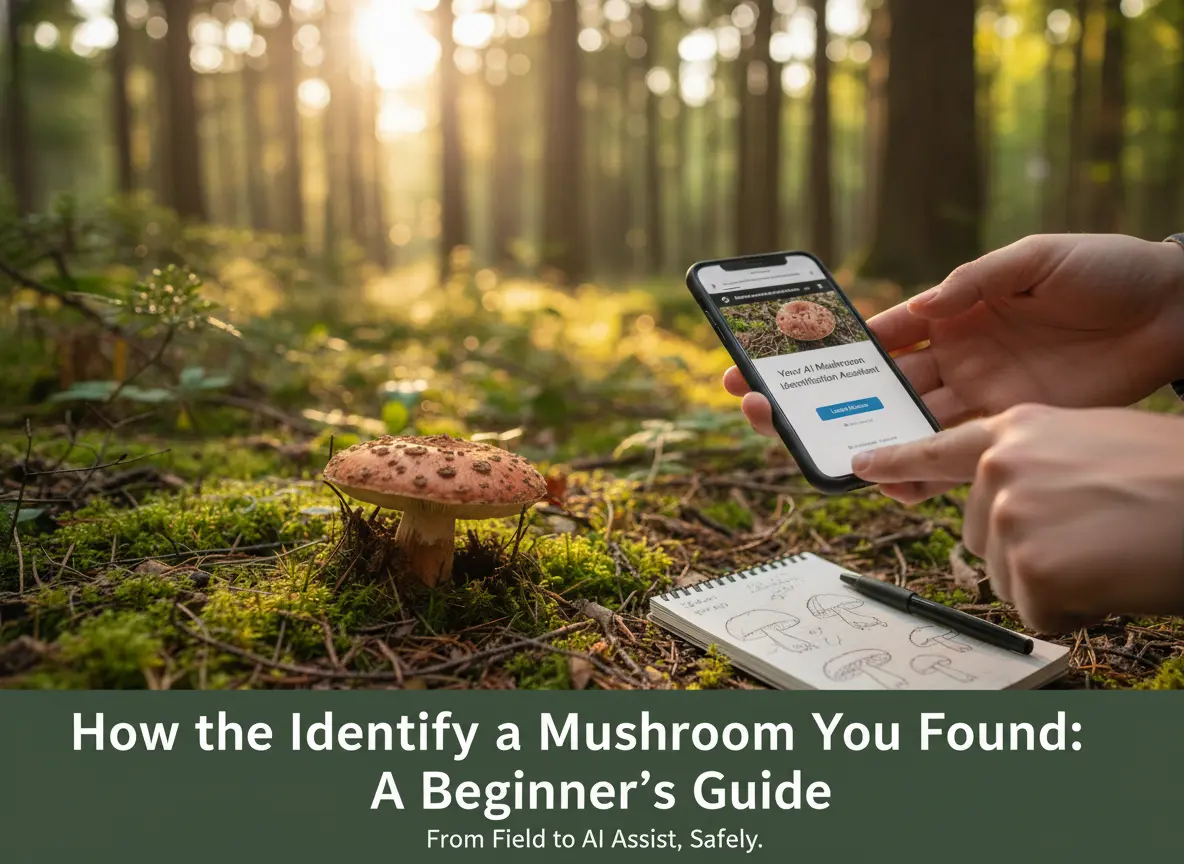
You’re on a hike, sunlight filtering through the trees, and you spot it—a beautiful, strange mushroom you’ve never seen before. You feel that mix of wonder and curiosity, followed immediately by the classic questions: "What is this? Is it safe?"
If you’re like me, this moment used to mean pulling out a heavy guidebook, scrolling through confusing forums, or trying to match your photo to thousands of online images. It was a time-consuming, often frustrating process.
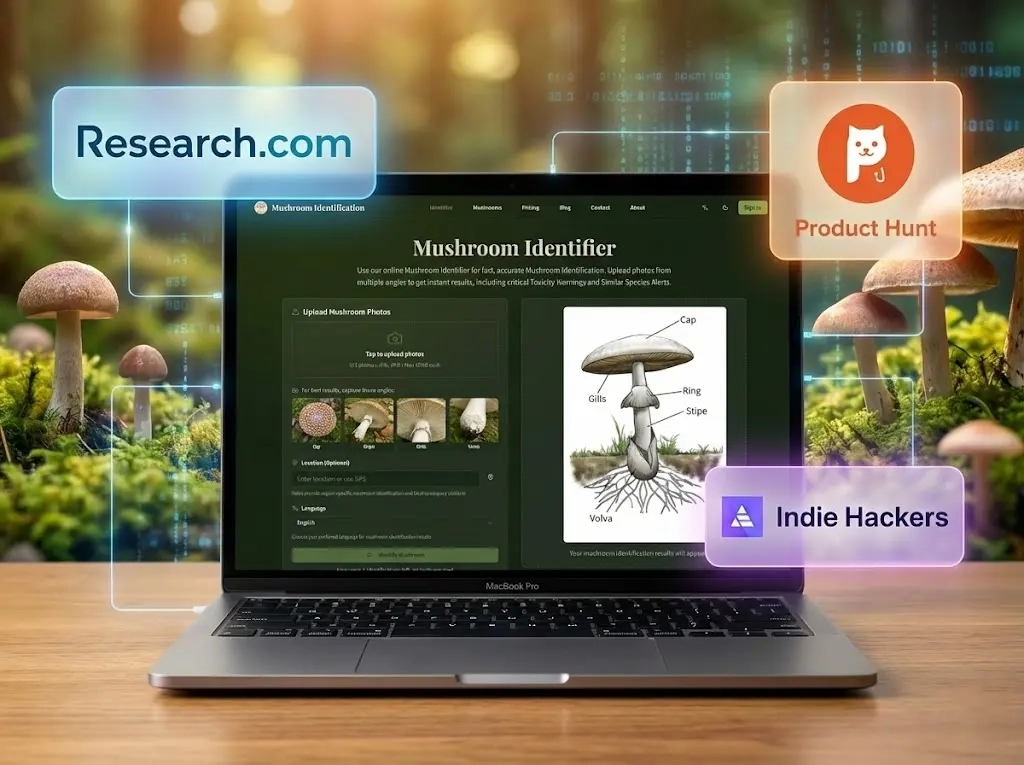
As a fellow enthusiast and a developer, I knew there had to be a better starting point. That’s why I built mushroom identification online. You can upload photos, add field notes, and get a suggested identification with the features that support it. You can then ask follow-up questions or add a missing photo in MushroomChat to help narrow it down.
Think of it as Your AI Mushroom Identification Assistant.
The Golden Rule: When in Doubt, It Goes Out
Before we go any further, let's get the most important thing straight. This website and its AI tool are absolutely NOT to be used to determine if a mushroom is edible.
I cannot stress this enough. This tool is an identification assistant, not a foraging expert. Its purpose is to help you learn and narrow down what a mushroom might be, so you can do proper, safe research. The difference between a helpful suggestion and a final verdict is a matter of life and death.
This direct, serious warning is the foundation of our trust. Your safety is the only thing that matters.
The 3-Step Identification Process
The AI is powerful, but it's only one part of the puzzle. True identification is a process. Here’s how to do it safely.
Step 1: Your Field Notes - How to Observe a Mushroom
Before you even think about using an app, you need to be a detective. A good mushroom ID relies on more than just a single picture. Grab your phone (or a notepad) and record these key features:
- Cap (Pileus): What is its shape, color, and texture? Is it smooth, slimy, or scaly?
- Gills/Pores (Hymenium): Look underneath the cap. Are there blade-like gills, a sponge-like surface (pores), or "teeth"? What color are they? How are they attached to the stem?
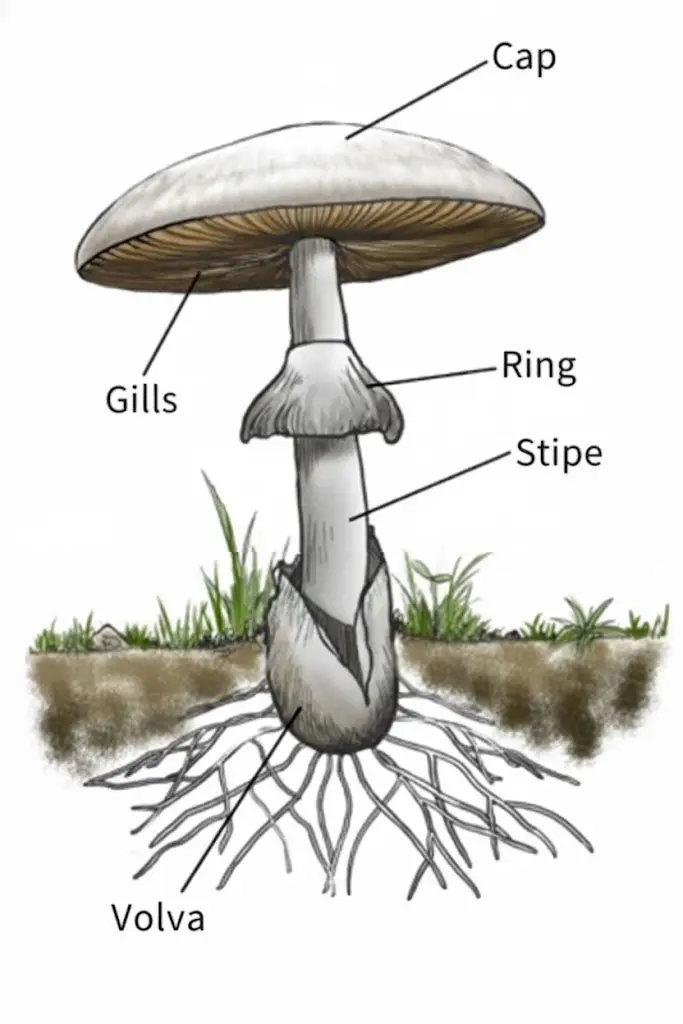
- Stem (Stipe): Is it thick or thin? Solid or hollow? Does it have a "skirt" (Annulus/Ring) or a "cup" at the base (Volva)? You may need to gently dig around the base to see the volva.
- Habitat: Where exactly is it growing? On a dead log (what kind of tree?), in leaf litter, on a living tree, or in open grass?
A Critical Safety Rule:
There is a famous saying for identifying the world's deadliest mushrooms, the Amanita family:
"It wears a hat (the Cap), a skirt on its waist (the Ring), and shoes on its feet (the Volva)."
If you find a mushroom that has all three of these features—a cap, a ring on its stem, and a cup-like volva at the base (which is often buried)—assume it is deadly and NEVER eat it.
Photography Tips for a Better AI Result: The AI is only as good as the photos you give it. For a more accurate mushroom identification, provide:
- A clear shot of the top of the cap.
- A clear shot of the side to show the whole profile.
- A clear shot of the gills or pores underneath the cap.
- A shot of the base of the stem.
Pro Tips for Capturing the Details:
- The "Layout" Shot: Carefully pick one specimen and place it sideways or upside down next to the mushrooms still growing in the ground. This allows you to capture the habitat, the cap shape, and the gills/stem features all in one complete, context-rich photo.
- The Mirror Trick: If you don't want to pick the mushroom (or don't need a specimen), simply slide a small mirror underneath the cap. This is an excellent way to clearly photograph the gills and upper stem details without disturbing or damaging the mushroom.
Ensure your photos are in focus and have good, natural light.
Step 2: Use an AI Assistant for a Smart First Guess
Bring the photos and field notes from Step 1 to the Mushroom Identifier. The upload form is right on the homepage.
- Upload one to four photos. Use JPG, PNG, or WebP files, up to 10 MB each. Include different views of the same mushroom so the cap, underside, stem, and base are visible. On mobile, you can also use Take photo.
- Add the details you know. Location, Date found, and Notes are all optional. Enter your city, region, or habitat, then use Notes for observations such as nearby trees, size, or what the mushroom was growing on. These details give the AI context that a photo alone may miss.
- Choose a mode. Quick ID is the default for an initial check. Advanced Analysis offers a more detailed analysis.
- Select Identify mushroom. If the safety warning appears, read it and acknowledge it to continue. The progress screen shows the analysis stages while you wait; processing time can vary.
Read the evidence behind the suggested match
When the tool returns a match, the result shows its common and scientific names, a description, and a Caution section. Start there, then work through the analysis:
- Why this match explains which visible features support the suggestion. Compare each point with the mushroom you actually found.
- What remains uncertain, when shown, identifies missing or unclear details that would make the identification stronger.
- Alternative matches, when provided, lists other possibilities and a Key difference to check for each one.
- Verification tests, when provided, suggests further observations to help with identification. These checks do not establish whether a mushroom is edible.
If the tool cannot identify the mushroom, it explains the problem and suggests a next step. Use Choose different photos to try again with clearer or more useful views.
Follow up in MushroomChat
After a successful identification, MushroomChat lets you ask about the result, add an observation, or attach another photo. You can choose a suggested follow-up or write your own question, such as “What features support this ID?” or “What photo would help most?”
If the analysis flags a missing view, select Add the most useful photo to move to the chat, then attach that view and send it. Keep the follow-up about the same mushroom; use New identification for a different find.
Treat the initial result and the follow-up replies as suggestions to investigate. AI can misidentify a mushroom, even when its explanation sounds convincing.
Step 3: The Real Work - Cross-Referencing Your AI Result
The AI gave you a hypothesis. Now, you become the scientist.
Take the suggested scientific name and any alternative matches (e.g., "Amanita muscaria") and compare them against your field notes from Step 1. Use Why this match and What remains uncertain to guide what you check next, then verify those claims independently.
- Does the description in a trusted guide match your notes on the cap, gills, stem, and habitat?
- Read the "look-alikes" section for that species. Could it be one of those instead?
For a more advanced check, you can also note:
- Spore Print: Placing the cap on a piece of paper (half-black, half-white) for a few hours will reveal the color of its spores.
- Bruising/Staining: Does the mushroom change color when you cut or press it?
- Smell: Does it have a distinct odor (like anise, bleach, or just "earthy")?
A Crucial Example: Why You Can't Skip Step 3
Here is a perfect, and terrifying, example of why this 3-step process is essential.
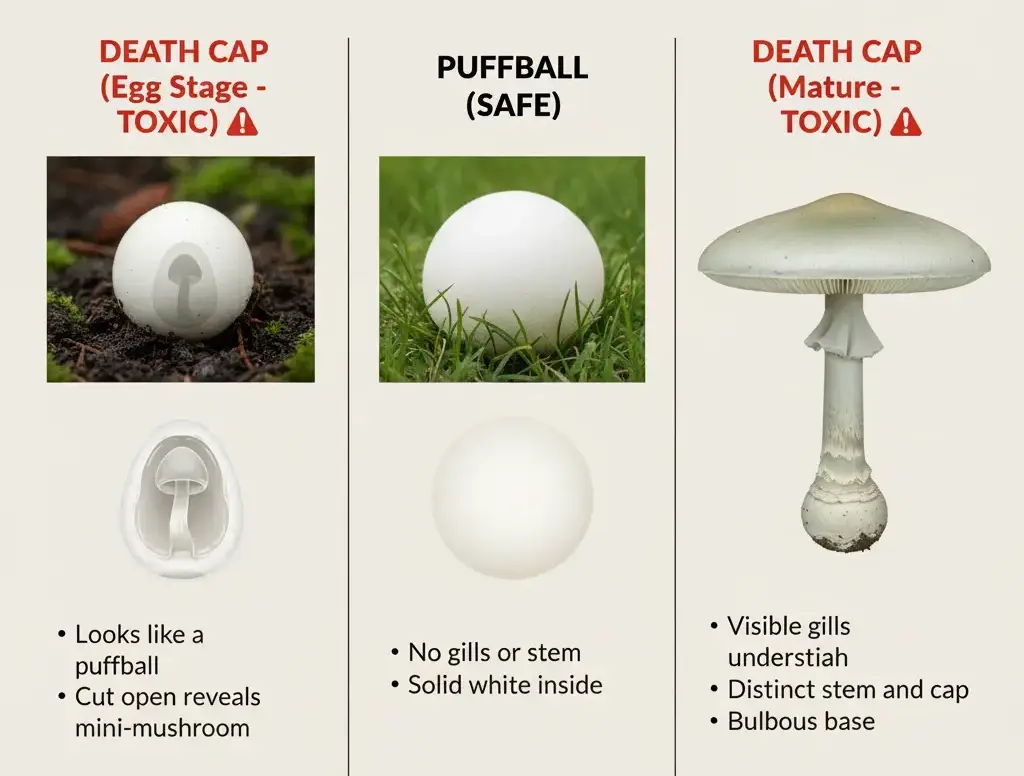
A young, button-stage Death Cap (Amanita phalloides)—the most poisonous mushroom in the world—can look identical to a young, edible Puffball (Lycoperdon perlatum).
From the outside, they are both white, round, and grow in the ground. A quick photo might confuse them.
But if you cut them open (as you would in Step 3), the difference is obvious:
- The Puffball is solid, uniform white foam inside.
- The Death Cap "egg" reveals the ghostly outline of a fully-formed mushroom—a tiny cap, gills, and stem—waiting to emerge.
This simple cross-section check is the difference between a nice meal and a fatal one. It’s a profound lesson that a simple visual ID, even with a mushroom identifier tool, is dangerously insufficient.
Your Digital Library: Trusted Websites for Deeper Dives
The final step of verification requires reliable, authoritative sources. Don't just trust the first Google result. Here are a few online resources I personally find helpful to help you confirm your AI-assisted guess.
- Mushroom Expert: Run by Michael Kuo, this is arguably the most comprehensive and respected online resource for North American mushroom identification. It’s perfect for detailed, scientific-yet-readable descriptions.
- iNaturalist.org: A fantastic community for identifying all living things. You can upload your observation, and both AI and (more importantly) human experts and enthusiasts will help narrow it down. It’s a great way to get a "second opinion."
- Mushroom Observer: A community-driven site where foragers and mycologists upload, share, and discuss their mushroom finds. It's an excellent place to see many different photographic examples of a single species in various stages of life.
- r/mushroomID on Reddit: A very active and helpful community. You can post your finds here, and knowledgeable enthusiasts will often weigh in. It’s an excellent way to get multiple "second opinions," which you can then verify.
A Quick Glossary for Beginners
- Cap (Pileus): The top, "umbrella" part of the mushroom.
- Gills (Lamellae): The blade-like structures under the cap that produce spores.
- Pores: A sponge-like surface under the cap (found in boletes) instead of gills.
- Stem (Stipe): The stalk that supports the cap.
- Volva: A cup-like structure at the very base of the stem, often buried. A key feature for Amanita.
- Spore Print: The powdery deposit left by a mushroom cap, used for ID.
- Habitat: The specific environment where the mushroom is growing (e.g., on oak wood, in sandy soil).
A Note From the Creator
I’m the developer of this site, and I wanted to end with a personal note. I'm not a big corporation; I'm just a person who loves hiking and got frustrated with the tools available.
I built this AI mushroom identifier because I needed it myself.
I was tired of spending an hour on forums only to be told my photo was bad. I wanted a way to get a quick, intelligent, reliable starting point for my own research. My goal was to create a learning aid, a comparison tool, built by one enthusiast for another. This transparency is everything to me. It's a tool to help you learn, not to make life-or-death decisions for you.
Start Your Identification Journey, Safely
The world of fungi is incredible, and learning to identify mushrooms is a deeply rewarding skill. It makes every walk in the woods a treasure hunt.
Just remember the three-step flow: Observe in the field, get an AI Assist as your starting point, and Verify with trusted resources.
Happy (and safe) foraging!
Have photos ready? Identify your mushroom with Quick ID. Add your field notes, review the suggested match, and use MushroomChat to follow up on missing details.